Open a CFDI XML file and read it like an invoice: issuer, receiver, line items, taxes and tax stamp. Your file never leaves your browser.
Your XML is read in your browser. It is not uploaded to any server.
Download it from the SAT portal, your invoicing system or your supplier's email.
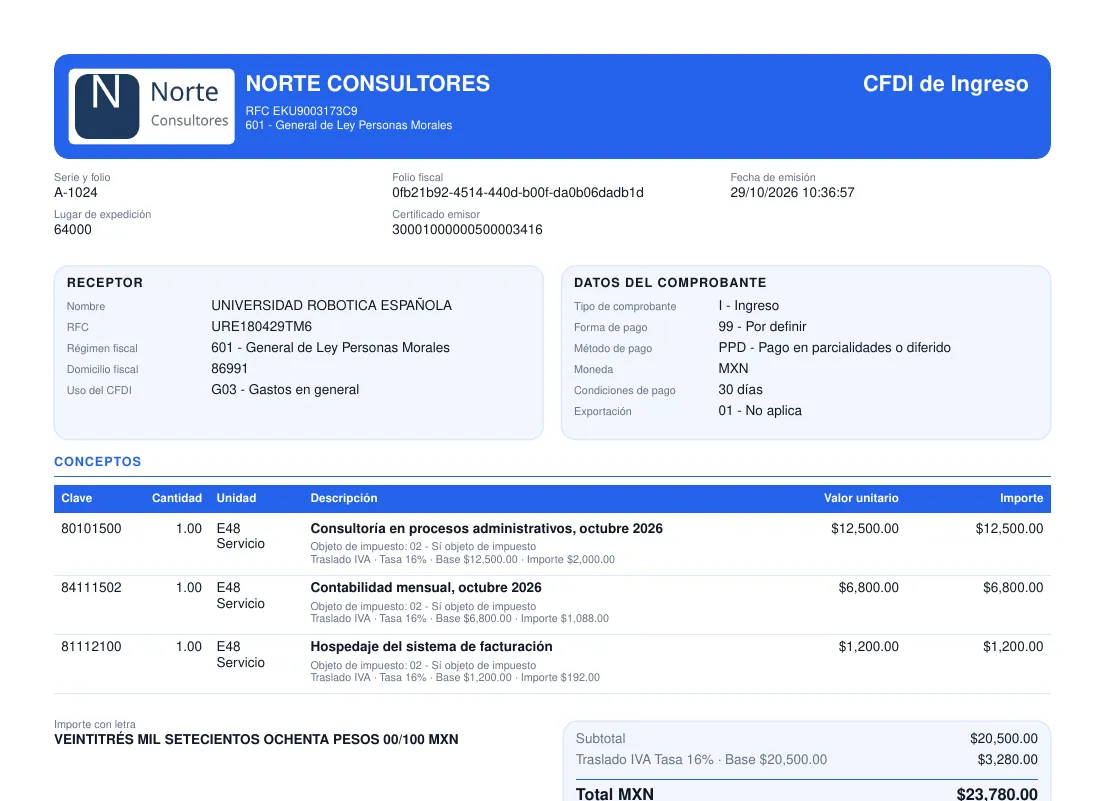
It is read instantly in your browser and laid out like an invoice.
The button opens SAT's lookup with the tax folio, RFCs and total already filled in.
The XML is the tax document that is valid for SAT. It is made for systems to read, so when you open it in a browser or a text editor you only see tags and attributes.
The PDF is its printed representation: the version to read, print and send to your clients. The viewer lets you check the XML in seconds. If you need the PDF, OBPDF generates it with everything SAT asks for.
Convert to PDF for free
What people ask us before getting started.
No. The viewer reads the file in your browser and does not send it anywhere. You can close the page and no copy is kept.
CFDI 4.0 of any type (income, credit note, transfer, payment and payroll) and withholding CFDI 2.0.
No. It shows what the XML says. To know whether SAT has it on record and whether it is current, use the Verify with SAT button.
Create a free OBPDF account and upload the XML. The free plan includes 20 documents a month, no card required.
The viewer opens one at a time. To convert many to PDF, upload a ZIP to OBPDF with up to 2,000 XML files.
Yes. It works in the browser of any phone or computer, with nothing to install.
Create your free account and try it with your own invoices. No card needed.
Questions before you start? Write to us at [email protected]